# Work Calendar
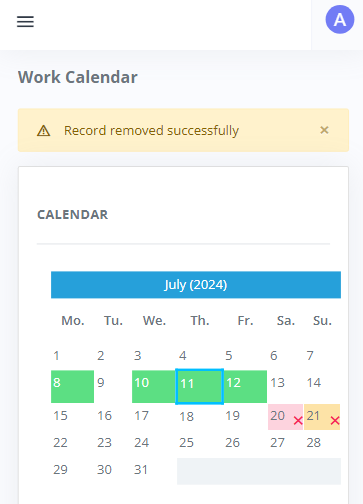
##### In the menu on the left, if you select **Work Calendar** you see the whole month. The days highlighted in green are for days in which you have tours scheduled. If you want to "close" a day that you will not be available for a tour, click on the day and it will be marked with an "x". For example, here we have closed July 20 and 21. And we have tours scheduled on the 8th, 10th, 11th and 12th.
[](https://docs.devscale.bg/uploads/images/gallery/2024-07/image-1720687931555.PNG)